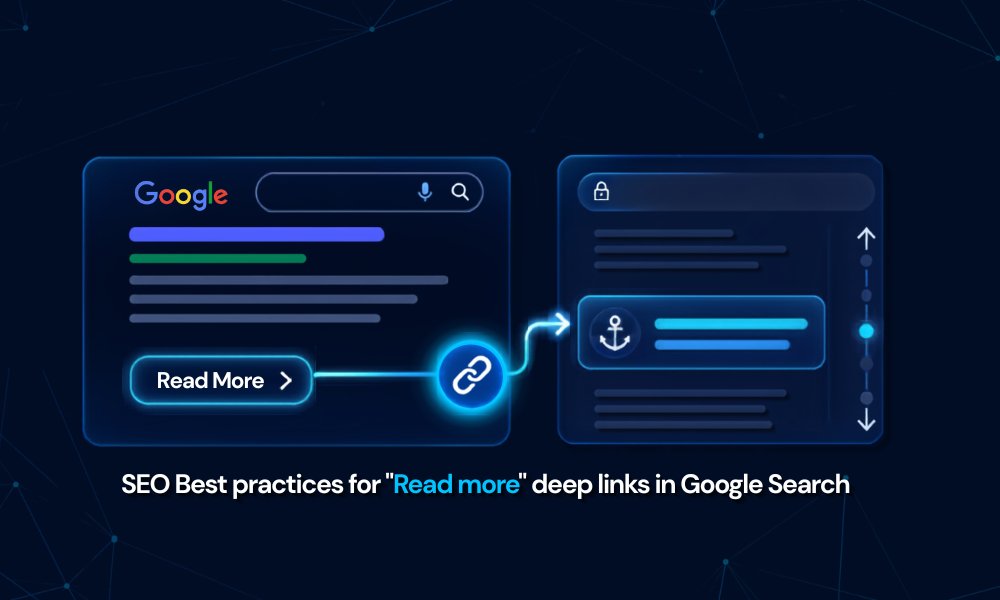
Do you often spend time reading the article and then again need to spot a particular section that’s noteworthy? But well, that of course takes a lot of time, again to go through the entire content! But fortunately, there’s a great update for all the SEOs, publishers, and marketers.
The recent update is around “Read More” deep links in search results that are totally worth paying attention to! Google has updated it's snippet documentation with a new section that appears in SERP snippets, allowing users to jump directly to the section that answers their query.
This isn’t a big update in Google Search; however, it matters as it changes the way people scroll through the page, how Google prioritizes section-level content emphasizes user experience, and allows users to meet their intent quickly. Keep reading the blog to understand more about the Read More deep links, its importance, the three best practices Google mentioned, and more.
What are Google "Read More" Deep Links?
According to Google, the feature is a link within a snippet that leads users to a particular section of that page. When the user clicks it, it takes them to the relevant section instead of forcing them to scroll to the top. One important point is that the Read More deep link improves user satisfaction. Let’s understand this with an example:
If you are reading a lengthy article with 10 sections, like:
- What Is Google Search Console
- Key Benefits
- Limitations
- Best Practices
- & More
Google mentions a Read More link that lets users go directly to the Key Benefits without having to scroll to the top of the page. Going right to the section saves time and hassle. Alongside, it makes long-form content more valuable and improves the search experience.
A Read More Deep Link rewards pages that are:
- Easy to navigate
- Have a clear structure
- Meets the user intent
- Sectioned by topic
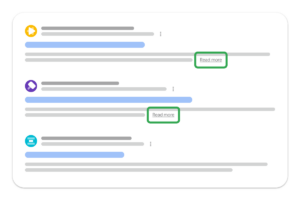
Here is how the Read More deep link appears:
Google’s 3 Best Practices for "Read More" Deep Links
Google has mentioned the best three practices to increase the likelihood of appearing in the Read More links. The following are:
1. The content should be immediately visible to users and must not be hidden behind expandable sections, tabbed interfaces, or accordions, as this decreases the chances of appearing in Read More deep links.
2. Do not use JavaScript to control the user’s scrolling position at the top of the page. One example is that Google forces users to scroll to the top of the page.
For example, scripts that automatically call window.scrollTo 0, 0), or similar functions, it can break the Read More deep links. These scripts are added to the site intentionally.
However, when a user clicks on a specific section in Google Search, it takes them directly to the heading or content without taking them to the top of the page.
3. If your website pages use the History API or the updates window. location.hash when the pages load, make sure the URL’s hash fragment is preserved. Removing the same can prevent deep links from taking users to the main/intended section of the page.
Why Did Google Publish Best Practices?
Google has come up with best practices to let users know that search is moving beyond pointing to a complete page. Apart from checking whether the page is right for a particular keyword, Google wants users to land on the right section that answers their query, using Read More deep links.
This helps search results to be more helpful, efficient, and ideal for long-form content. Alongside, reduces friction and boosts user satisfaction, ultimately increasing visibility in search results. The new best practices act as a quality control process to ensure that the part of the page that meets user intent is accessible, visible, and stable upon arrival.
How to Keep Your Pages on Top of "Read More" Link Visibility?
To boost your chance of appearing in the Read More deep link search, make sure to optimize your content in the best possible way. The following are some of the points you can take into consideration:
1] Follow the proper anchor ability: It is necessary to add unique, proper IDs to important sections. They need to be consistent and readable.
Take the example given below.
<h2best-practices" > <Best Practices for Read More Deep Links</h2>
2] Follow the Right Heading Structure: Make sure to focus on the heading. Do not write common headings such as "Overview," "Introduction," "Key Details," or "Important Insights." Use descriptive headings and properly structure your content with H2 and H3.
Here are a few examples mentioned
- How Does the Google Algorithm Work
- Why Should Users Stay Updated with the Algorithm Changes?
- Frequently Asked Questions
3] Test Fragment URLs: Open your URLs with a hash fragment and double-check that the page lands directly on the intended section.
4] Keep the Content Open: Do not hide the content. Make sure that when the user clicks the answer or section, the content is immediately visible, rather than prompting them to open it.
What Content Types are Most Likely to Benefit from "Read More" Feature?
The feature is not well suited for all types of content. However, here are some of the examples that benefit most are:
- documentation pages
- Comparison pages
- Resource pages
- Long-form articles
- Publisher articles
- FAQ informational content
What does this Update Mean for Your SEO Strategy?
The new guideline is important for SEOs, marketers, and website professionals, as it outlines everything that can increase the likelihood that a Read More deep link will appear. It rewards pages that are properly structured, meet user intent, and, most importantly, serve as a reminder that search engines reward answer architecture, not just keyword targeting.
- Higher CTR: Searchers click on the link when they see content that meets their intent.
- Boost in Engagement: Users spend more time reading the relevant sections.
- Improved Visibility: Search listing with additional links delivers better results and stands out in the Search.
- User Satisfaction: Users are satisfied when they land exactly where they need to be, improving the user experience.
Some of the Common Mistakes that Can Harm Your Deep Link Eligibility
Website teams should first check whether the section links on their pages work well on both the website and mobile. Alongside,
- Hiding content behind the tabs
- Removing URL fragments
- Forcing scroll to the top
- Pages with tabbed layout
- Weak heading language makes it challenging for users to understand the topic.
Final Takeaway: Structure Is the New SEO!
Google’s Read More deep link practices provide valuable insights into how to develop and structure content for the changing search experience. The main aim is to create content that is easy to understand, access, properly organized, and technically compatible with anchor links.
This isn’t an update; however, it's a way to show you how you can increase the likelihood of the “Read More” link appearing in the results and boost your search performance. The new guidelines with the three best practices mentioned are surely a win on your side if implemented correctly.
To read more such informative blog posts, visit our website now!
FAQs
1. What is deep link used for?
Answer: A deep link is a specific hyperlink that allows users to navigate to a particular section of a website or page.
2. What are the 4 types of links?
Answer: Internal links, external links, email links, and image links, are commonly used in HTML.
3. Does Google add Read more links automatically?
Answer: No, Google first generates Read More deep links on the basis of the page structure, content visibility, and structure. Publishers cannot add them directly but can work on optimization to increase the chances of being visible in the search.
4. Do Read More deep links impact SEO rankings?
Answer: Even though the links do not impact the rankings directly, it helps to improve engagement, CTR, and visibility in the search results, which in turn helps to boost overall SEO performance.
Also Read:
Top 5 WordPress SEO Plugins to Enhance Your Website’s Ranking
Search Everywhere Optimization (SEvO): SEO’s New Era Beyond Google