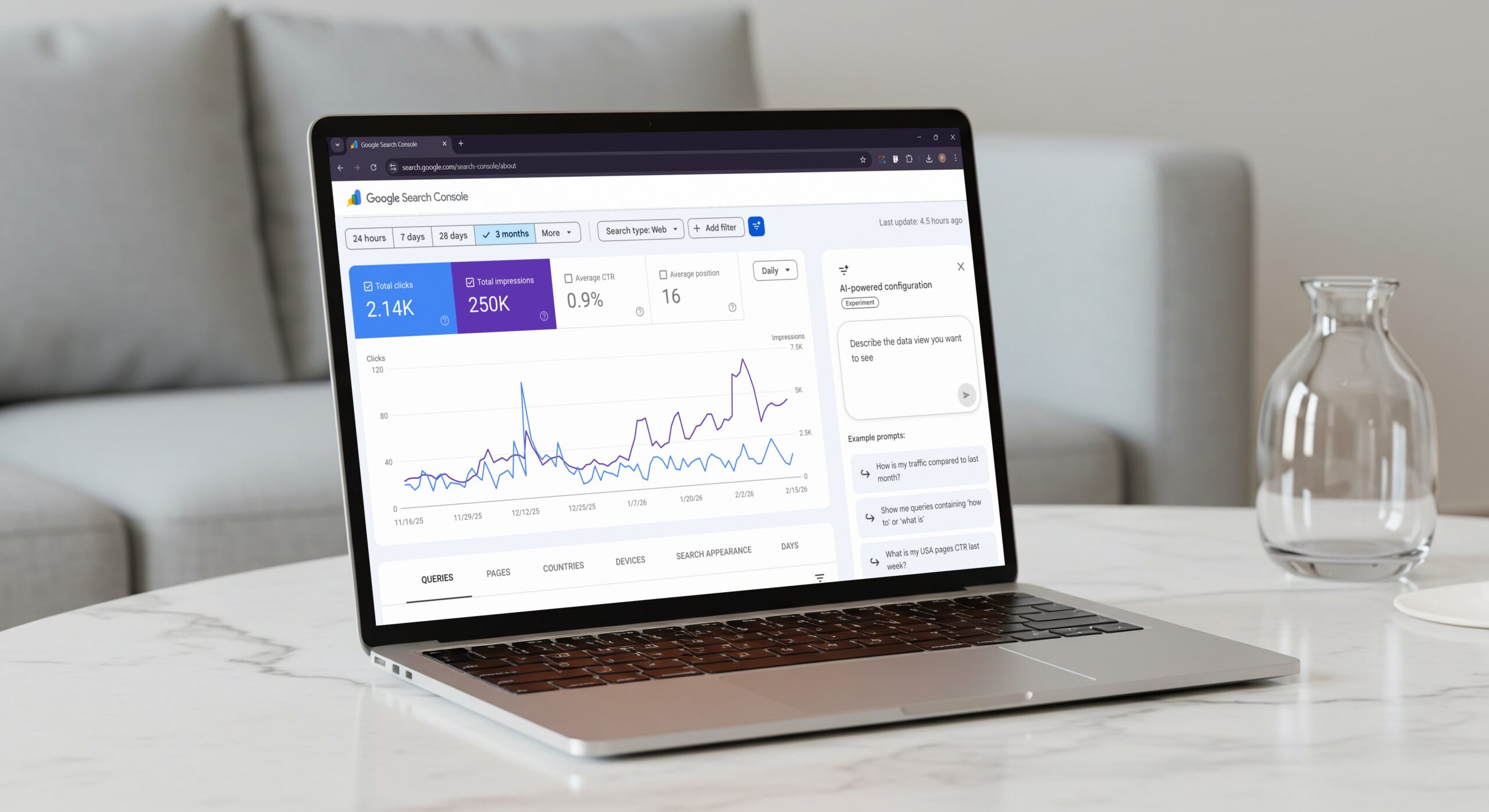
Google has recently rolled out its AI-powered configuration feature in Google Search Console. GSC stands as one of the most important tools for SEOs and search marketers. First introduced as a test feature two months ago, it allows users to ask AI for any queries about performance reports in Google Search Console and get instant answers. In short, users can interact with reports in natural language queries. One noteworthy point is that the new feature is available to everyone!
Google mentioned it in a statement on LinkedIn, “The Search Console’s new AI-powered configuration is now available to everyone!”
More About AI-Powered Configuration
The new AI-powered configuration feature is integrated into the Performance reports for Search results and automatically adjusts metrics, filters, and comparisons based on user input. Instead of manually configuring reports, users can share the insights or data they want to see, and the tool will quickly apply relevant settings. This includes mainly three key elements:
Selecting metrics: Automatically choose relevant metrics such as Impressions, Clicks, Average Position, and Average CTR.
Applying Filters: Let users filter data by page, query, device, country, search appearance, or date range.
Configuring comparisons: Allows complex comparisons, such as custom date ranges or year-over-year performance, without manual setup.
The following are some of the examples of natural language queries:
Targeted filtering: “Show me queries containing “how to” or “what is”
Metric Selection: “What is my USA pages CTR last week”
Complex comparisons: “How is my traffic compared to last month”
Specific content analysis: “Show me clicks for the pages that include the word books”
With this update, Google aims to reduce the time and effort for detailed search traffic analysis and focus more on insights. Users trying to access Performance reports can now see a prompt to customize reports using AI.
Limitations-
Even though the new feature enhances reporting, it does come with a few limitations:
Currently supports only Search results and Performance reports
- AI responses can occasionally share false results, so users need to verify the filters.
- Not available for Discover News reports.
- Currently, it does not support sorting tables or exporting data.
As of now, fewer websites are receiving the AI-powered configuration, which will eventually be expanded in the coming days. With the update, users can quickly and easily examine organic search performance.
We publish all the tech news daily. Visit us here and stay informed and updated!
Recommended For You:
What Is Google Speed Update and How Does It Work?
What is Google Rank Transition & What does it signify in SEO?