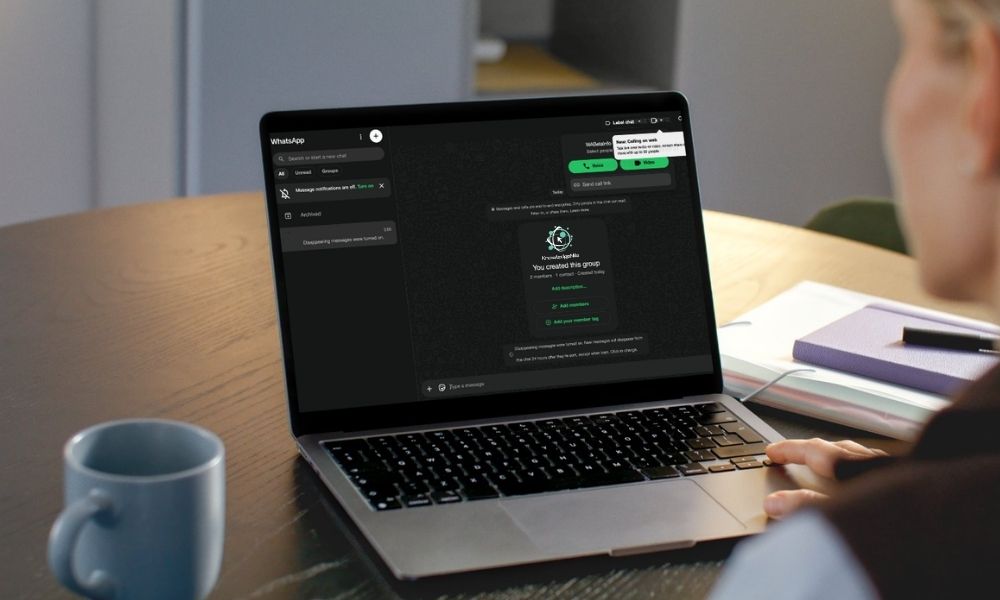
WhatsApp is expanding its support for voice and video calls to group chats on the web. This allows users to make calls directly from their browser. Until now, the WhatsApp Web only supported one-to-one voice and video conversations. With the latest update, eligible users can start voice and video calls from group chats on the web, in a similar way to how they do in individual chats.
WhatsApp rolled out voice and video calling support on the web for the first time in February 2026. However, this was limited to individual chats as group calling was under development. The latest update extends the capabilities to group chats, bringing the web platform closer to the full calling experience available on mobile and desktop.
How to Start a Group Voice or Video Call on WhatsApp Web?
It’s easy to get started with a group call on WhatsApp Web, and it works similarly to individual chats. Following are the steps mentioned:
Step 1: Open a Group Chat on WhatsApp Web.
Step 2: Click on the call button at the top of the conversation.
Step 3: Choose between a voice or video call.
Step 4: Select participants and start a call.
The group call feature supports 32 participants, matching the existing limit for mobile and desktop. All calls are protected by end-to-end encryption. This means third parties cannot intercept the conversation, and neither WhatsApp nor Meta can access its content.
Group Calls with Screen Sharing and Call Link Support
Another interesting feature is support for call links, which allow users to generate and share them with anyone for group calls. Every call link has a secure URL that expires automatically after 30 days of inactivity. If you need control over who can join the call, you can also enable the waiting room.
The screen-sharing option is available to users during group video calls on the WhatsApp Web. Participants can share browser windows, present slides, documents, and more during the ongoing call. However, this option is available only during video calls and not for voice calls.
The update is particularly helpful for users who access WhatsApp from the web. On Windows, some users prefer WhatsApp Web as their main interface rather than the desktop app. For Linux users, this update is beneficial, as they can now join voice and group calls directly from their browser without using a desktop app or switching to their phones.
WhatsApp Is Testing the Feature with Select Beta Users
As stated in WABetaInfo regarding the availability, “WhatsApp is currently testing this feature with a limited number of beta testers and is not yet available to everyone.” There is no official statement regarding the timeline for a wider rollout. However, it is expected to reach more users in the coming weeks.
Thus, with this update, it’s clear that enabling group calling directly in the browser is possible. WhatsApp is making its web platform a complete and ideal alternative to its mobile and desktop apps.
To stay in the loop of the latest news as it happens, don’t miss out on our website. Here, we publish daily trending updates covering product launches, new features, announcements, and more!
Recommended For You:
Innovative Applications of Call Recording Technology in Modern Business Operations