
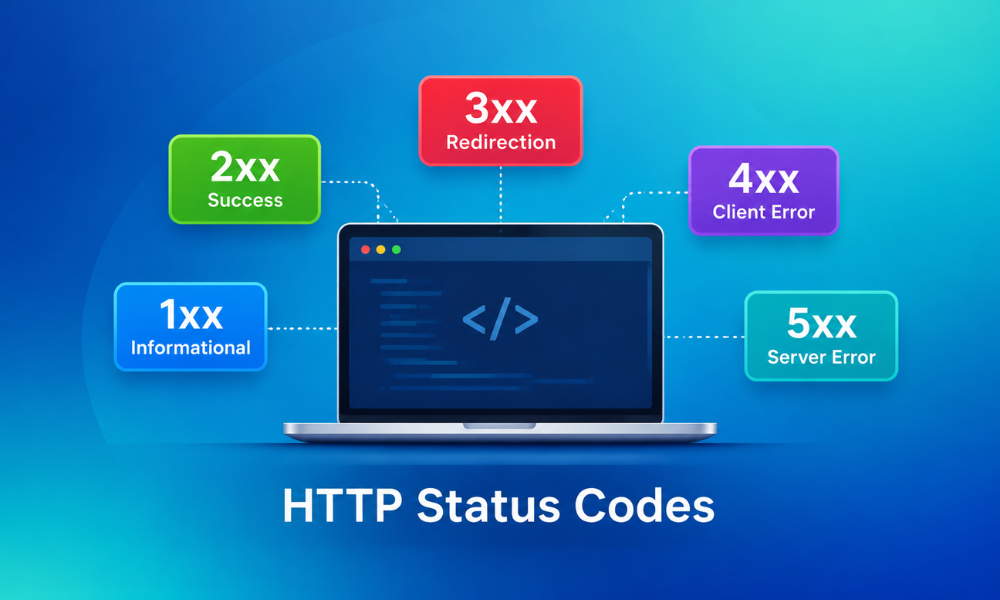
Suppose you open Google Search Console and find some pages of your site marked as “Not found (404),” “Server error (5xx),” “Soft 404,” “Redirect error,” and so on. These errors impact your search rankings.
The labels you see come from the three-digit status code the page sends back. It's the HTTP status codes your website provides to Google. It affects whether your content can be considered for indexing, how frequently it will be crawled, and the way it will appear in search results.
If the status codes are not accurate, these errors will show up in the Indexing report in Google Search Console. So, it's important to understand the HTTP status codes, what each means, how it impacts Google crawlers, and how to make your website crawler friendly. Let's get started...
What are HTTP Status Codes?
HTTP status codes are three-digit codes generated by a server in response to a request for a web page or resource from a client, such as a browser or a crawler. They indicate whether the request succeeded or failed. Each HTTP status code has a different meaning, but the outcome of the request is the same. They create a standardized, shared language between servers and clients. Without them, a browser wouldn't know why a page didn't load.
Search Console generates error messages for status codes in the 4xx and 5xx ranges and for failed redirections (3xx). If the server responds with a 2xx status code, the content in the response can be considered for indexing.
How Different HTTP Status Codes Impact Google Crawlers?
When crawling website content, Google bots take action based on the HTTP status codes they receive. Below are some of the most common HTTP status codes:
2xx (success): The Green Light for Crawling and Indexing
The request worked, so Google passes the content on for indexing.
- 200 (success): A 200 status code is a good starting point. This means Googlebot will crawl the page's content successfully, though it does not guarantee your page will be indexed.
- 201: (created): Googlebot waits a limited time for content, then passes the content it received for indexing.
- 202: (accepted): A 202 asks the crawler to hold while the server finishes the job. Google waits less time, then moves on to the next request.
- 204 (no content): Google didn't see any content on the page, so it cannot process it. This often leads to “soft 404.”
3xx (redirection): Google Follows the Trial to a New URL
Google's crawlers follow up to 10 redirect hops, though this differs by crawler type. However, Google's URL Inspection tool does not follow redirects. Any content Google receives from a redirecting URL is ignored.
- 301 (moved permanently): A sign that content has permanently moved. Google transfers the rankings to the new URL and considers it authoritative
- 302 (found): Denotes Google crawlers follow redirects, and Google uses redirects as weak signals.
- 303 (see other): Similar to 302.
- 304 (not modified): The content hasn't changed since the last time it was crawled.
- 307 (temporary redirect): Same as 302
- 308 (moved permanently): Same as 301
4xx (client errors): Google Drops Pages it Cannot Find or Access
Google does not use the content from URLs that return the 4xx status code. If a previously used URL now returns a 4xx status code, Google systems will not use the URL over time.
- 400 (bad request): All 4xx errors, except 429, are treated the same. This means the content doesn't exist, so crawling frequency decreases.
- 401 (unauthorized): Requires authentication; Google can’t authenticate, which blocks access.
- 403 (forbidden): Server denies access to the crawler.
- 404 (not found): The common 4xx error; needs monitoring and fixes.
- 410 (gone): The page was discarded for a purpose. Google treats it like a 404, though it may drop the URL a little faster.
- 429 (too many requests): Denotes server overload and is considered a server error.
5xx (server error): Crawling slows down before your page drops
5xx and 429 are server errors that mainly prompt Google crawlers to slow down crawling. For Google Search, URLs that are already indexed are preserved in the index; however, they are dropped.
- 500 (internal server error): Indicates a server error due to overload or maintenance. Google decreases the crawl rate for this site.
- 502 (bad gateway): Denotes an invalid response from an upstream server.
- 503 (service unavailable): Denotes temporary unavailability of service due to some technical issues.
How to Check a Page’s HTTP Status Code?
There are different ways to check a page's HTTP status code:
In your browser: Open the page, press F12 or right-click and choose Inspect, go to the Network tab, and reload. The first row displays the page’s status code.
Server logs: Check Googlebot requests and the status codes that are returned by the server to identify problems.
In Google Search Console: To find HTTP status code errors in GSC, follow the steps given below:
- Open Google Search Console and choose your property
- Visit Indexing > Pages
- Go to the Why pages are not indexed section.
Check for the following error types:
- 404 errors
- Soft 404s
- Server errors (5xx)
- Redirect errors
You will see the affected URLs listed under each error type, along with a chart of how many pages are affected.
How Status Codes Impact Your Website's Presence in Google Search?
- Crawl frequency: If Googlebot sees 5xx errors or 4xx pages, it will not crawl on your site often.
- Content Indexing: Pages that return a 2xx HTTP status code or use proper 3xx redirects have a chance of appearing in Google’s index.
- User experience: Users who see error pages are less likely to return to your site, which increases bounce rate.
So, managing HTTP status codes is essential for a healthy relationship with Google’s web crawlers.
Best Optimization Strategies for Crawler-Friendly Websites
Follow these optimization strategies to make your website crawler-friendly:
- Audit your site for broken links using website analytics tools.
- Implement 301 redirects for URL changes or removed pages to maintain traffic and ranking signals.
- Use robot.txt accurately without blocking important pages.
- Optimize your website for mobile, as Google prioritizes the same.
- Eliminate soft 404 errors by maintaining high-quality content even on 200-status pages.
Summing It Up!
HTTPS status codes are the key language your server uses to communicate with Google. The strategy is simple. When this language is simple, clear, and accurate, crawlers can easily understand which pages to index, which to move, and when to return. As a result, HTTPS status codes have a major impact on Google crawlers. If status codes are confusing, your valuable pages may drop in rankings, and crawl efforts may be wasted on pages that offer no value. So, make an effort to make your site crawler friendly.
Want to learn more about diverse SEO-focused blog topics and beyond? Head over to our site now.
FAQs
1] Is it possible to slow Googlebot with a 403?
Answer: No. Every 4xx except 429 leaves the crawl rate unaffected while costing you indexed pages. Instead, use 503 or 429.
2] What is the basic difference between a 200 and a 201 status code?
Answer: Both status codes mean the request succeeded. A 200 OK is the normal response for a web page. On the other hand, a 201 Created means the request created a new resource, typically when an API saves a new record.
3] How many redirects will Google follow?
Answer: Google follows up to 10 hops by default, with limits that vary according to the product.
You May Also Like:
Don’t be a Slowpoke: Know-how of Improving Website Speed
10 Easy Ways to Remove Unused JavaScript and Speed Up Your Website
AI Crawlers vs Traditional Crawlers: The Future of Web Indexing