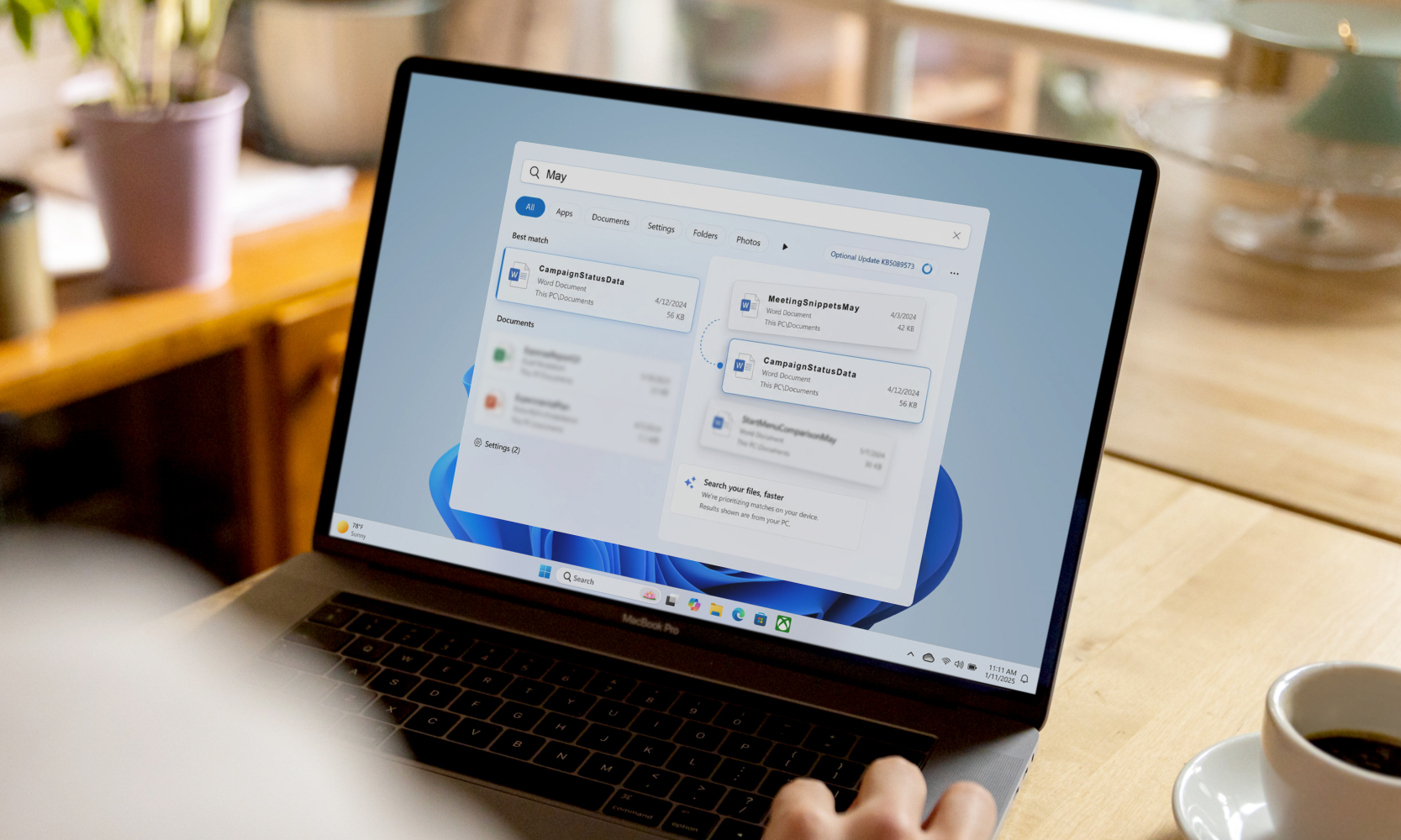
Microsoft is updating Windows 11 Search in a way many users will notice quickly! Over the years, users have shown discomfort regarding Windows 11 Search. Microsoft addresses the issues with two major improvements, namely two-character and substring fixes. These make searching tools and files easier and faster. The changes came alongside the KB5089573 optional update introduced on May 26, 2026.
KB5089573 applies to Windows 11 versions 24H2 and 25H2, with build numbers 26200.8524 and 26100.8524. The update also focuses on Search Box improvements in the mentioned Windows 11 version, letting the system find and prioritize files with as few as 2 characters typed. On the other hand, substring fix helps users find compound file names or text by typing a piece of the word itself.
Two-Character Search
The two-character search aimed at everyday file or app hunting. Windows Search can now identify and prioritize relevant results after only two characters are entered instead of forcing users to type a long or exact filename. This is a meaningful upgrade for people who work with folders full of reports, screenshots, notes, and downloads.
It addresses the issue of remembering the exact file name is often harder than remembering what the file contains.
Substring Fix
Microsoft is also testing a broader search upgrade in Insider builds. The company said Windows Search is gaining ‘Search by Substring’ in the Experimental and Beta channels, specifically in builds 26300.8553 and 26220.8544. That means compound names or content such as MeetingSnippetsMay or CampaignStatusData can be found by typing a relevant fragment like ‘may’ or ‘status.’
What is KB5089573 Optional Update?
KB5089573 is a preview update, not a mandatory security patch, and it is available as an optional release. As per Microsoft, it also improves general shell performance, including Start menu, Search, and Action Center, making the update about more than just search. Other changes in the package include sign-in, storage, USB, camera, and reliability fixes.
Notably, two-character and substring fix have been introduced as a segment of this optional update.
Why Has Microsoft Introduced Improvements?
The change is part of Microsoft’s effort to make Search feel more natural and less breakable. Windows Search has long been powerful, but many users have found it too rigid for everyday work. The two-character improvement and the substring experiment suggest Microsoft is finally moving Search toward a faster, easier experience.
KnowledgeNile publishes major technological news so that you stay informed. Check out our news section now and start discovering what’s moving diverse industries.
Recommended For You: